Mileage tracking built for Amazon Flex blocks
Keep an independent record of the driving around your Flex work — from pickup-station travel and delivery routes to returns and post-block driving.
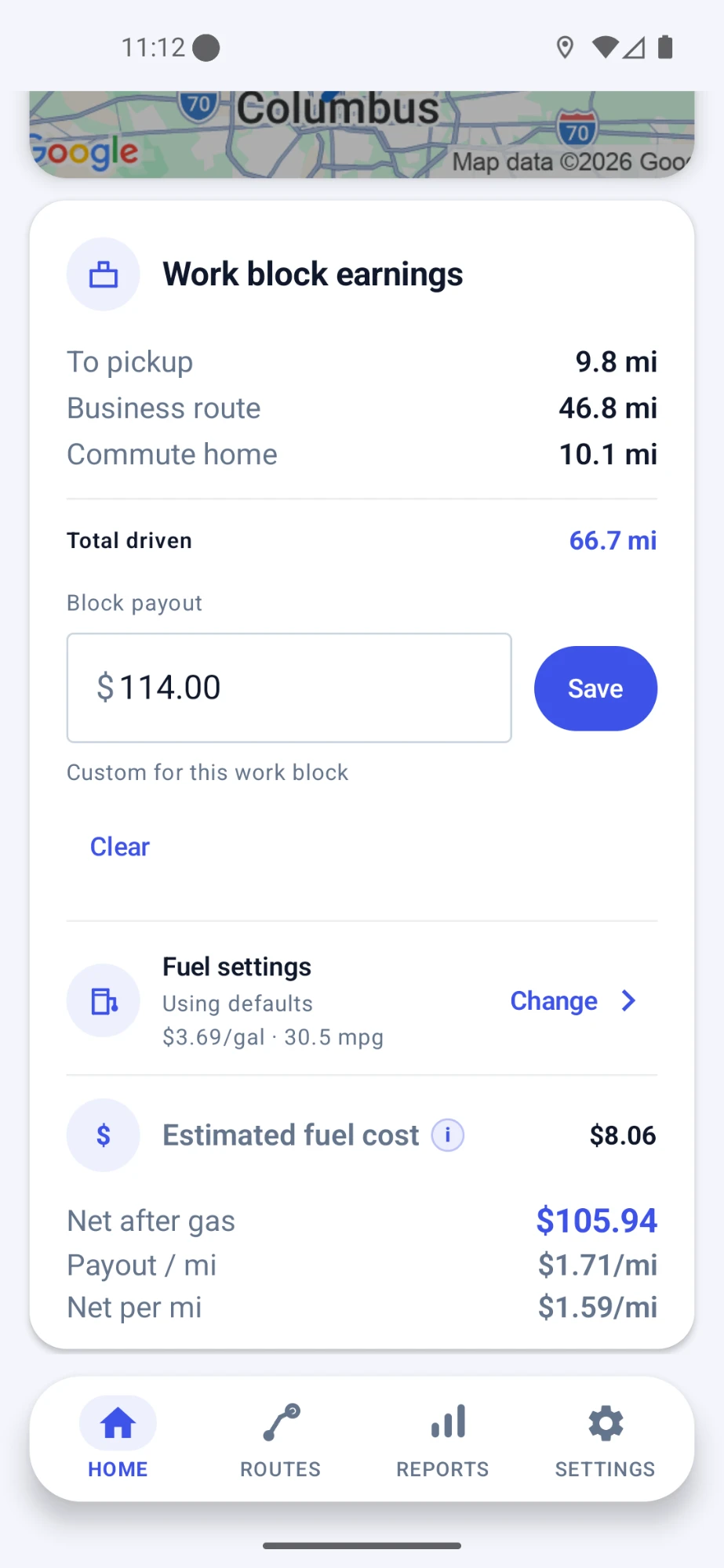
MileLap is an independent app and is not affiliated with, endorsed by, or sponsored by Amazon Flex.
Amazon Flex mileage situations
An Amazon Flex block can involve several kinds of driving. MileLap helps you keep those trips organized in one place.
Pickup-station travel
Keep a record of the drive to the station where you pick up your route.
Delivery-route mileage
Track the driving between the stops that make up your delivery block.
Package returns
Record additional driving when a block requires you to return packages to a station.
Post-block driving
Keep the driving after your final stop separate and visible in your trip history.
Does Amazon Flex track all the mileage drivers may want to keep?
The Amazon Flex app is built around blocks, navigation, and completing deliveries. If you want a separate mileage history for your own records, MileLap can run alongside your Flex work and keep that driving organized independently.
How MileLap fits into your Amazon Flex block
- 1
Step 1
Head to pickup
Let MileLap record the drive to your pickup station, or start tracking manually when you want direct control.
- 2
Step 2
Complete the route
Keep your delivery driving recorded as you move between stops during the block.
- 3
Step 3
Handle the end of the block
If you have package returns or other post-block driving, keep that trip recorded in your history.
- 4
Step 4
Review your records
Check route distance, map details, classification, and trip history afterward.
Track automatically, adjust manually
MileLap can log drives automatically in the background, and you can add or edit trips by hand whenever you want more control.
Learn about automatic tracking →Mileage records for tax time
Organized mileage records can help support a deduction later. MileLap isn't a tax advisor — see the guide below for the basics, and use the calculator to estimate.
Amazon Flex mileage FAQ
Does Amazon Flex track mileage for drivers?
Amazon Flex is primarily built around managing blocks, navigation, and deliveries. If you want a separate mileage history that you control and can review later, you can keep an independent record with a mileage-tracking app such as MileLap.
Why keep a separate mileage log for Amazon Flex?
A separate mileage log gives you your own history of routes, distances, dates, and trip classifications instead of relying on memory later.
Can MileLap track Amazon Flex mileage automatically?
Yes. MileLap supports automatic background mileage tracking, so it can record driving while you focus on your Flex route.
Can I track Amazon Flex trips manually?
Yes. You can start a trip manually when you want direct control, and MileLap also supports adding or adjusting trip records manually.
Can MileLap record driving to the Amazon pickup station?
MileLap can record the drive to a pickup station just like other driving. Whether a particular drive qualifies as business mileage for tax purposes depends on your circumstances.
What should an Amazon Flex mileage record include?
Useful mileage records commonly include the date, distance, route or destination information, and the purpose or classification of the drive. For tax-specific recordkeeping guidance, see the Gig Driver Mileage Deduction Guide.
Start tracking your Amazon Flex mileage
Start with your first 40 qualifying trips, then decide whether MileLap fits your delivery work.