Mileage tracking built for DoorDash drivers
Keep an independent record of the driving around your Dash — from pickups and deliveries to repositioning, zone changes, and driving between orders.
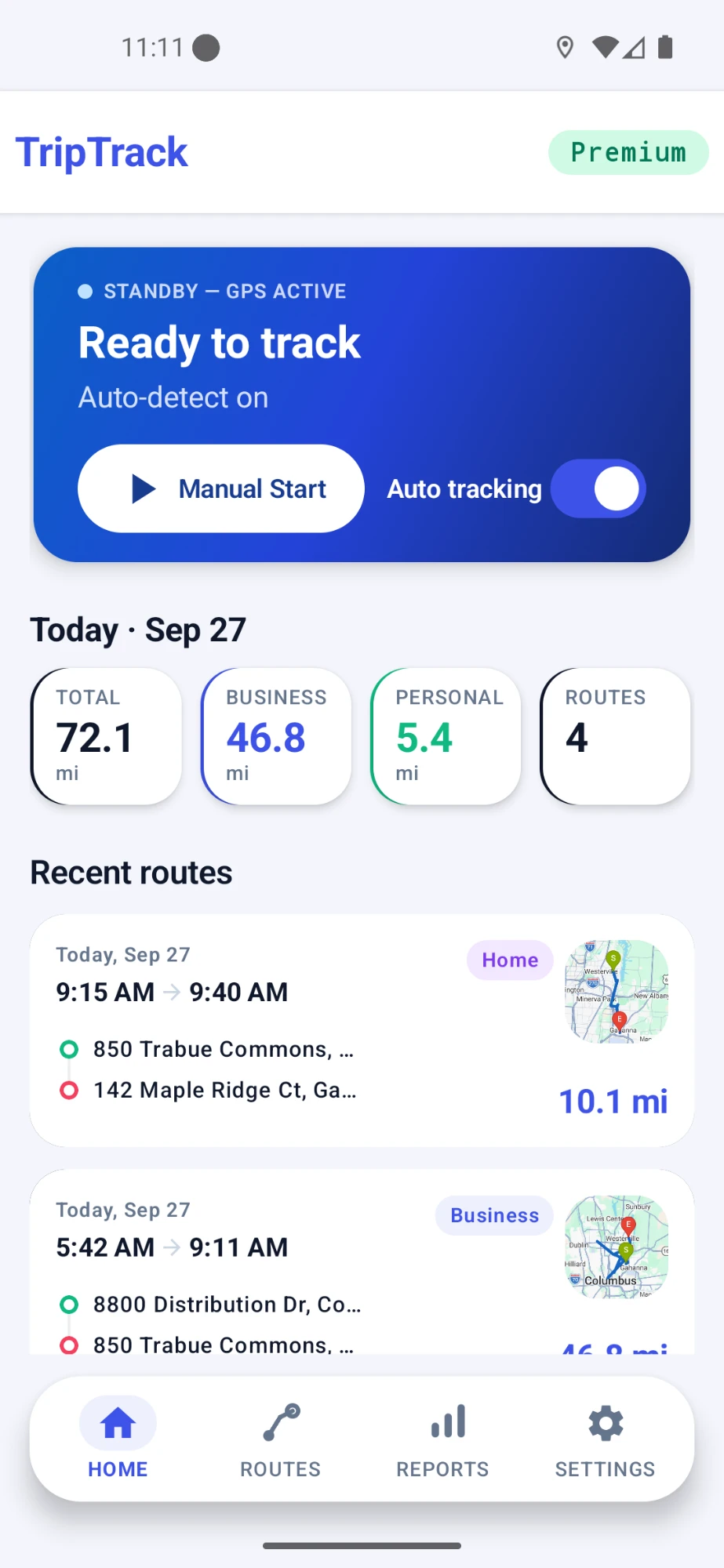
MileLap is an independent app and is not affiliated with, endorsed by, or sponsored by DoorDash.
DoorDash mileage situations
A Dash can involve several kinds of driving beyond the trip from one pickup to one drop-off. MileLap helps keep those drives organized in one place.
Driving to pickups
Record the drive to a restaurant, store, or other pickup location before an order.
Delivery legs
Keep the driving from pickup locations to customer drop-offs in your trip history.
Waiting and repositioning
Record driving toward another area while waiting for the next delivery opportunity.
Zone changes
Keep additional driving visible when you move between areas during your delivery day.
Multi-app driving
Keep one mileage history when you switch between DoorDash and other delivery platforms.
Mixed work and personal driving
Separate delivery work from personal driving so your trip history stays easier to review.
Does DoorDash track all the mileage drivers may want to keep?
DoorDash is built around offers, navigation, and completing deliveries. If you want a separate mileage history that you control and can review later, MileLap can run alongside your Dash and keep that driving organized independently.
How MileLap fits into your Dash
- 1
Step 1
Start your Dash
Go online for your delivery session as usual.
- 2
Step 2
Drive to pickups
Let MileLap record your driving automatically, or start a trip manually when you want direct control.
- 3
Step 3
Complete deliveries
Keep driving between pickups, drop-offs, and repositioning recorded as you work.
- 4
Step 4
Review your records
Check route distance, map details, classification, and trip history afterward.
Track automatically, adjust manually
MileLap can log drives automatically in the background, and you can add or edit trips by hand whenever you want more control.
Learn about automatic tracking →Mileage records for tax time
Organized mileage records can help support a deduction later. MileLap isn't a tax advisor — see the guide below for the basics, and use the calculator to estimate.
DoorDash mileage FAQ
Does DoorDash track mileage for Dashers?
DoorDash is primarily built around offers, navigation, and deliveries. If you want a separate mileage history that you control and can review later, you can keep an independent record with a mileage-tracking app such as MileLap.
Why keep a separate mileage log for DoorDash?
A separate mileage log gives you your own history of dates, distances, routes, and trip classifications instead of relying on memory later.
Can MileLap track DoorDash mileage automatically?
Yes. MileLap supports automatic background mileage tracking, so it can record driving while you focus on your deliveries.
Can I track DoorDash trips manually?
Yes. You can start a trip manually when you want direct control, and MileLap also supports adding or adjusting trip records manually.
Does MileLap need to connect to my DoorDash account?
No. MileLap records driving independently and does not need access to your DoorDash account to keep mileage records.
What information should a DoorDash mileage record include?
Useful mileage records commonly include the date, distance, route or destination information, and the purpose or classification of the drive. For tax-specific guidance, see the Gig Driver Mileage Deduction Guide.
Start tracking your DoorDash mileage
Start with your first 40 qualifying trips, then decide whether MileLap fits your delivery work.